Kiko
A simple way to know they’re okay.
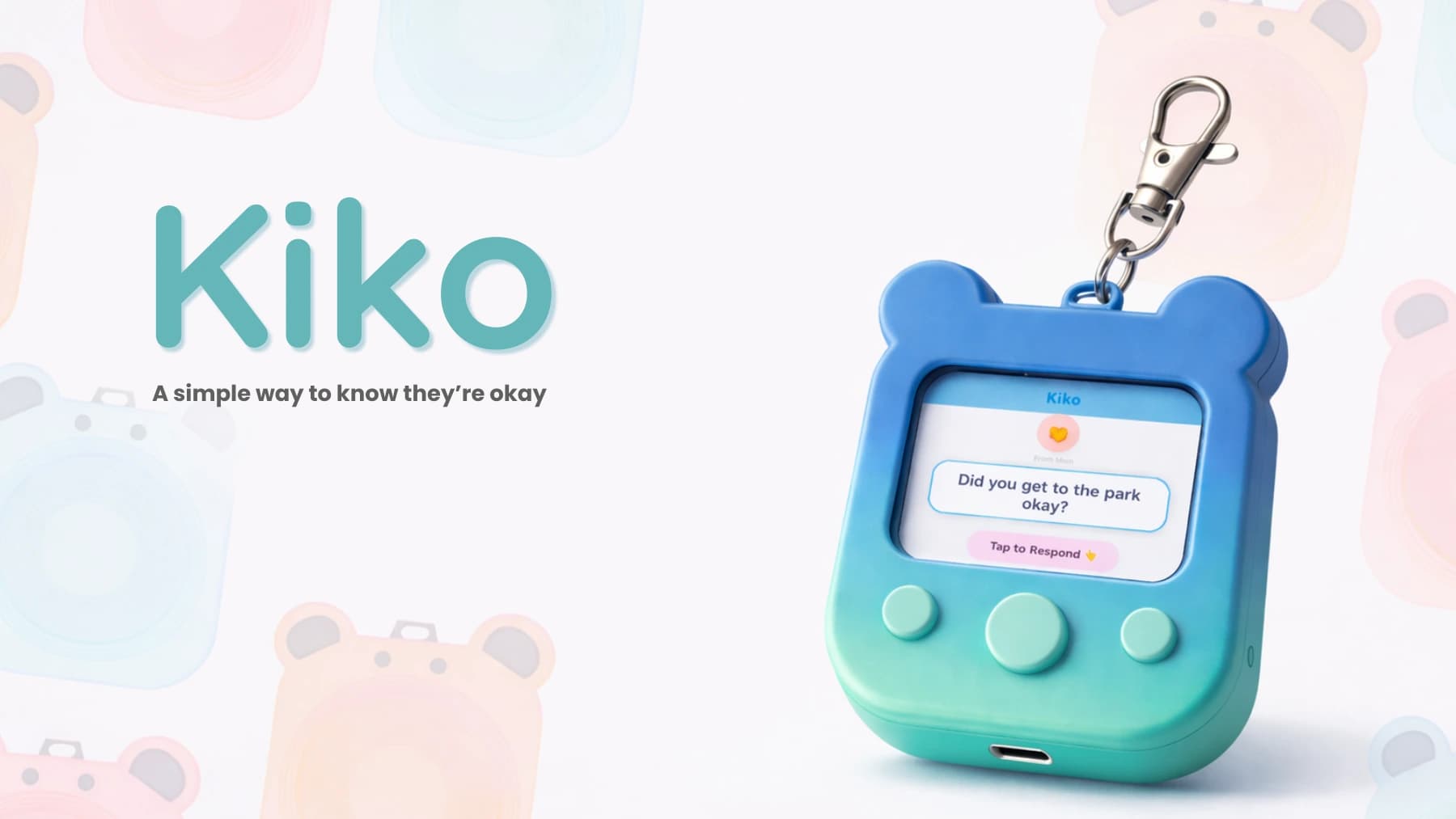
Kiko is a parent-child communication system that pairs a kid-friendly keychain device with a parent app for quick, low-friction check-ins without the complexity and distractions of a phone.
1 / 24
Project snapshot
Parents and kids need a fast, low-friction way to stay connected throughout the day, but phones introduce distracting interfaces, unnecessary features, and communication that is easy to miss.
2026
- Role
- Product designer and UX researcher across hardware, interaction design, prototyping, and testing
- Timeline
- 2026
- Tools
- Product research • Form exploration • Physical prototyping • Focus groups • UX design • CMF development
Overview
Parents and kids need a fast, low-friction way to stay connected throughout the day, but phones introduce distracting interfaces, unnecessary features, and communication that is easy to miss.
I developed Kiko as a paired device-and-app system, moving from interviews and competitive research through form exploration, ecosystem mapping, CMF direction, physical prototyping, focus-group feedback, and iterative parent and child UX flows.
Outcomes
- Defined a focused communication model built around one clear message and four easy emoji responses.
- Refined the physical device through hands-on testing with children and parents, improving grip texture, proportions, character details, and keychain placement.
- Connected the kid device and parent app through onboarding, messaging, location, and setup flows while keeping the child experience screen-light and school-friendly.
Full case study
The complete project, presented in sequence with every slide fully visible.
Kiko
Kiko: a simple, screen-light way for parents and kids to know they’re okay.
Kiko
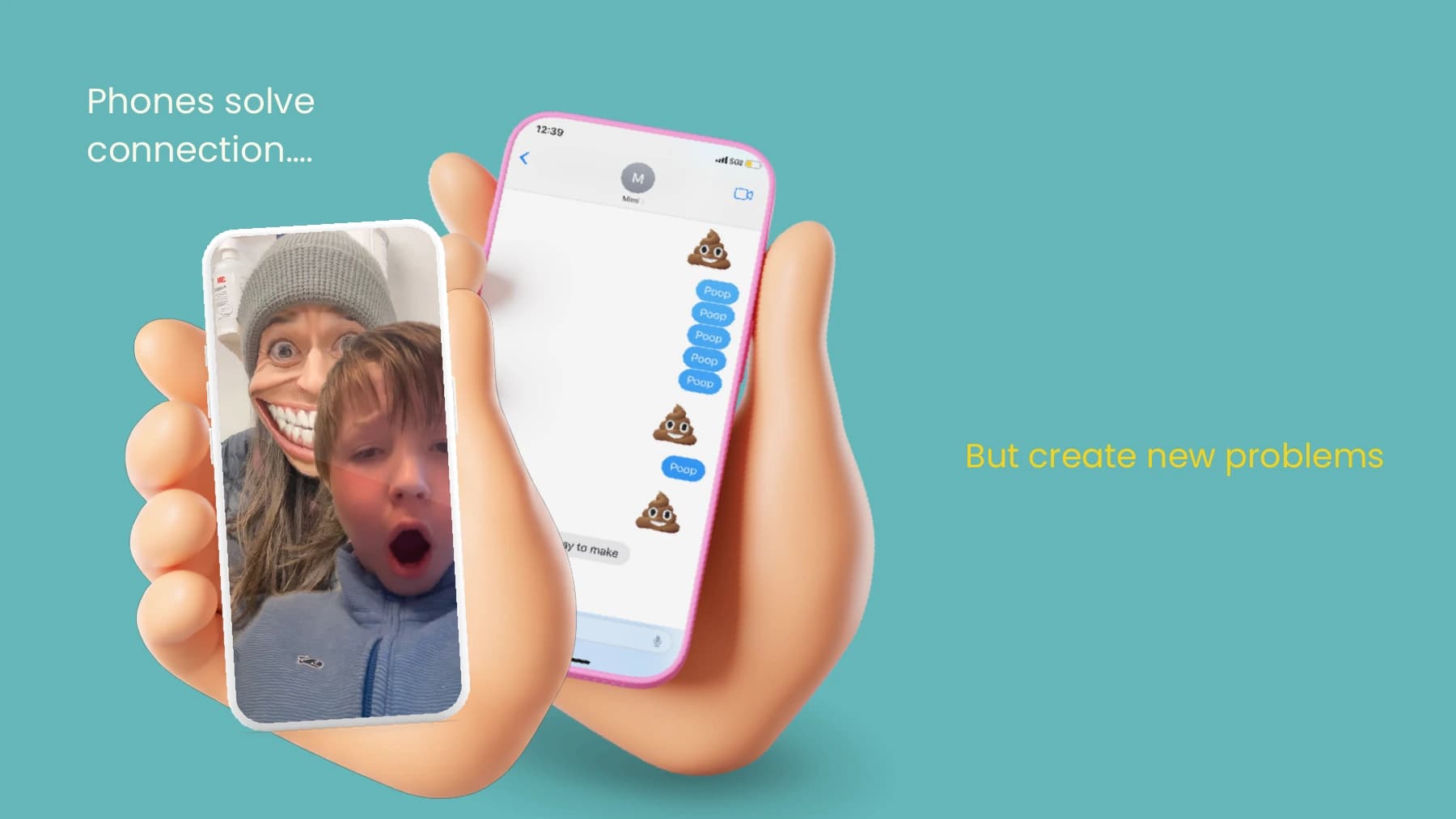
Opportunity framing: phones enable connection, but introduce new distractions and complexity.
Kiko
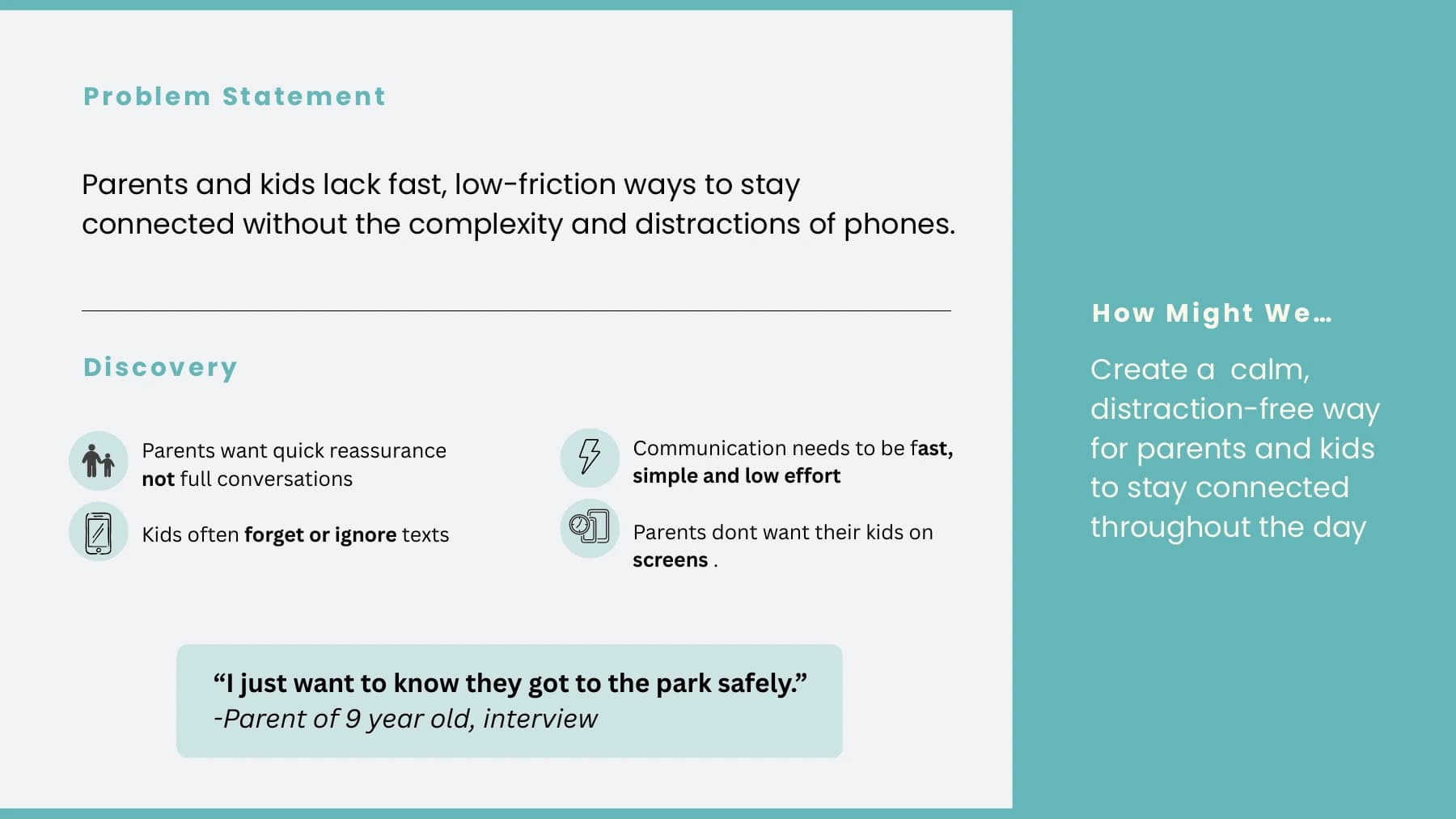
Discovery distilled the need for fast reassurance, low-effort communication, and fewer screens.
Kiko
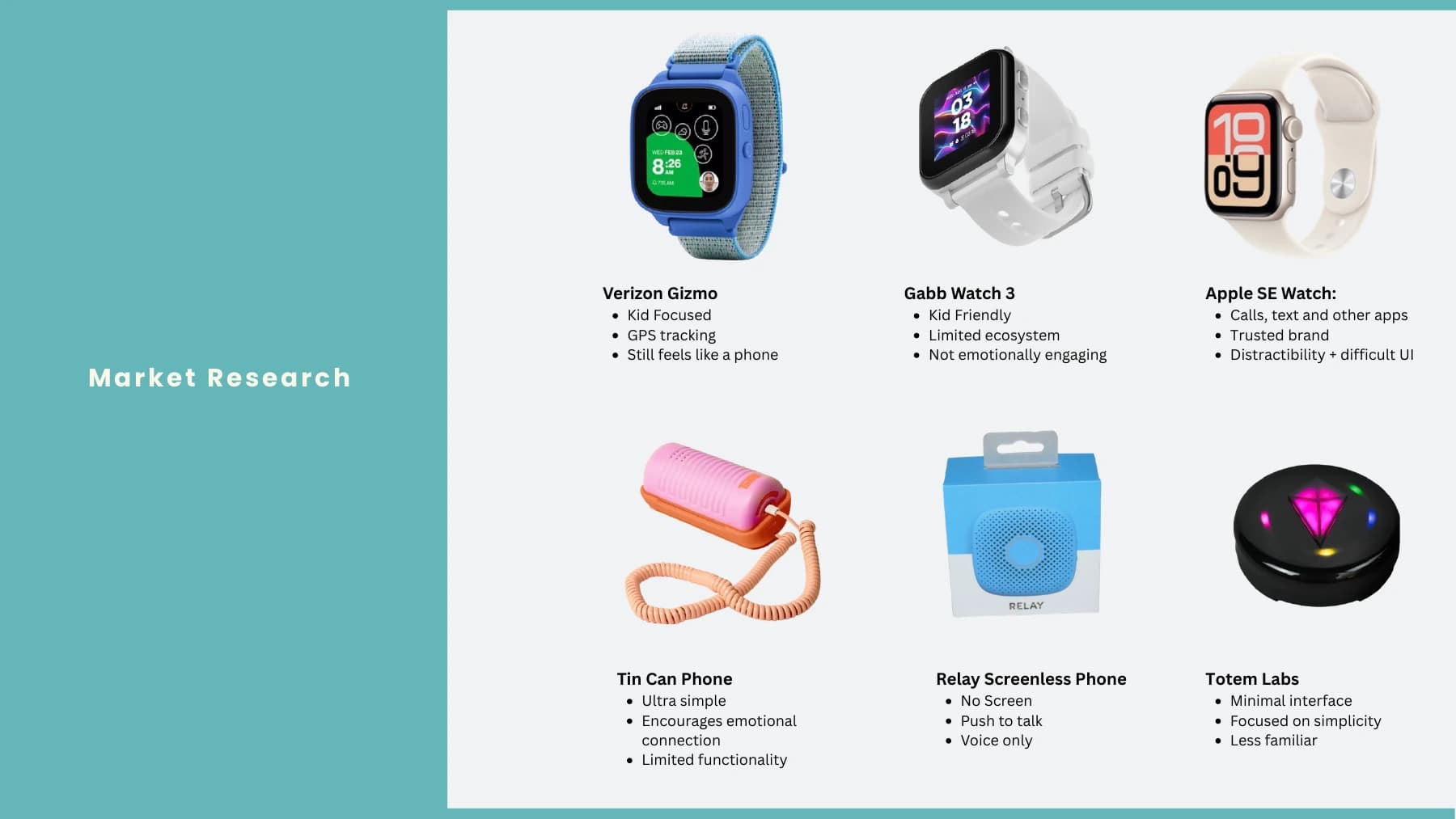
Competitive review of kid-focused watches and simpler screenless communication devices.
Kiko
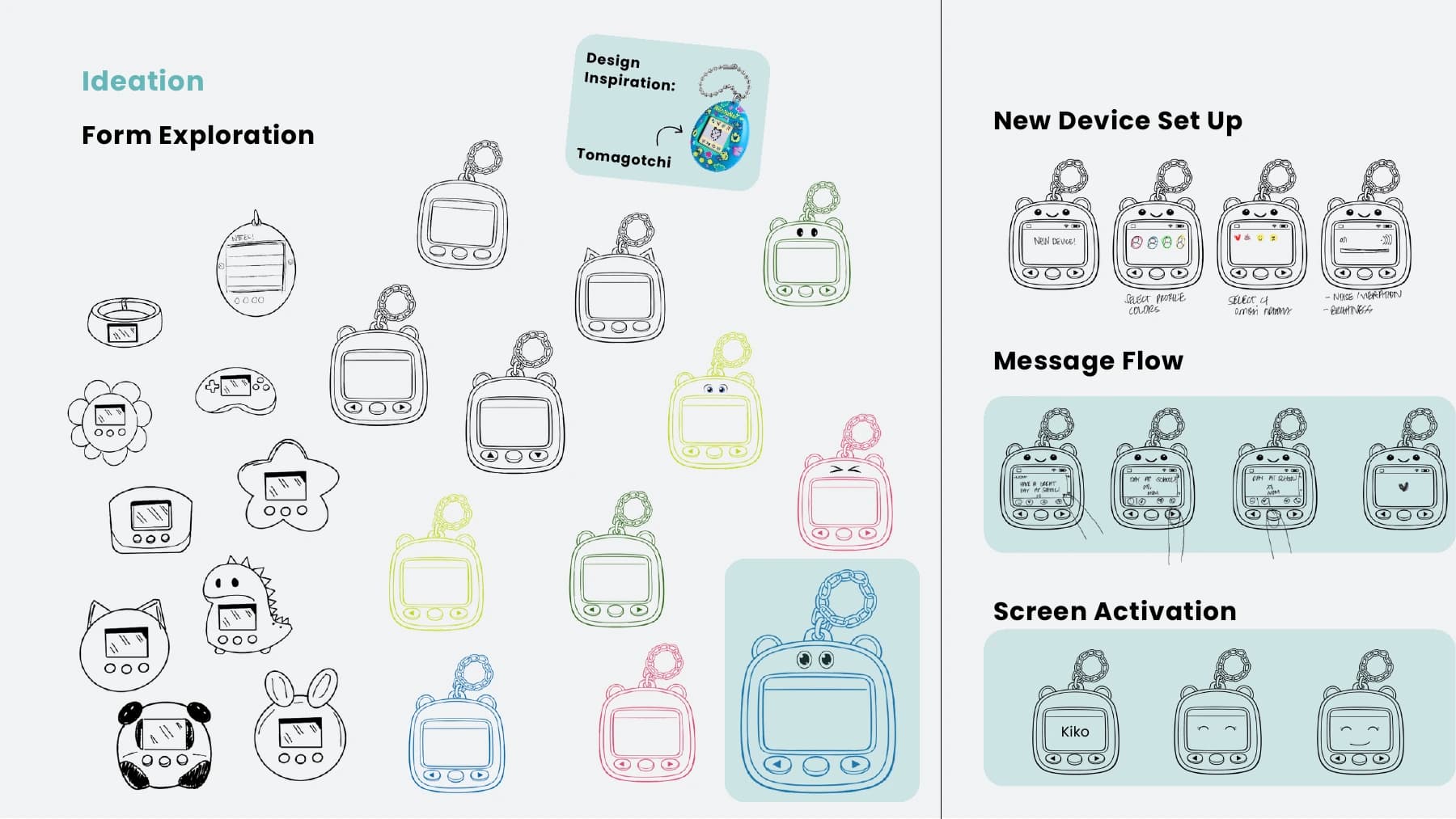
Early ideation connected character-led form exploration with setup, messaging, and screen activation.
Kiko
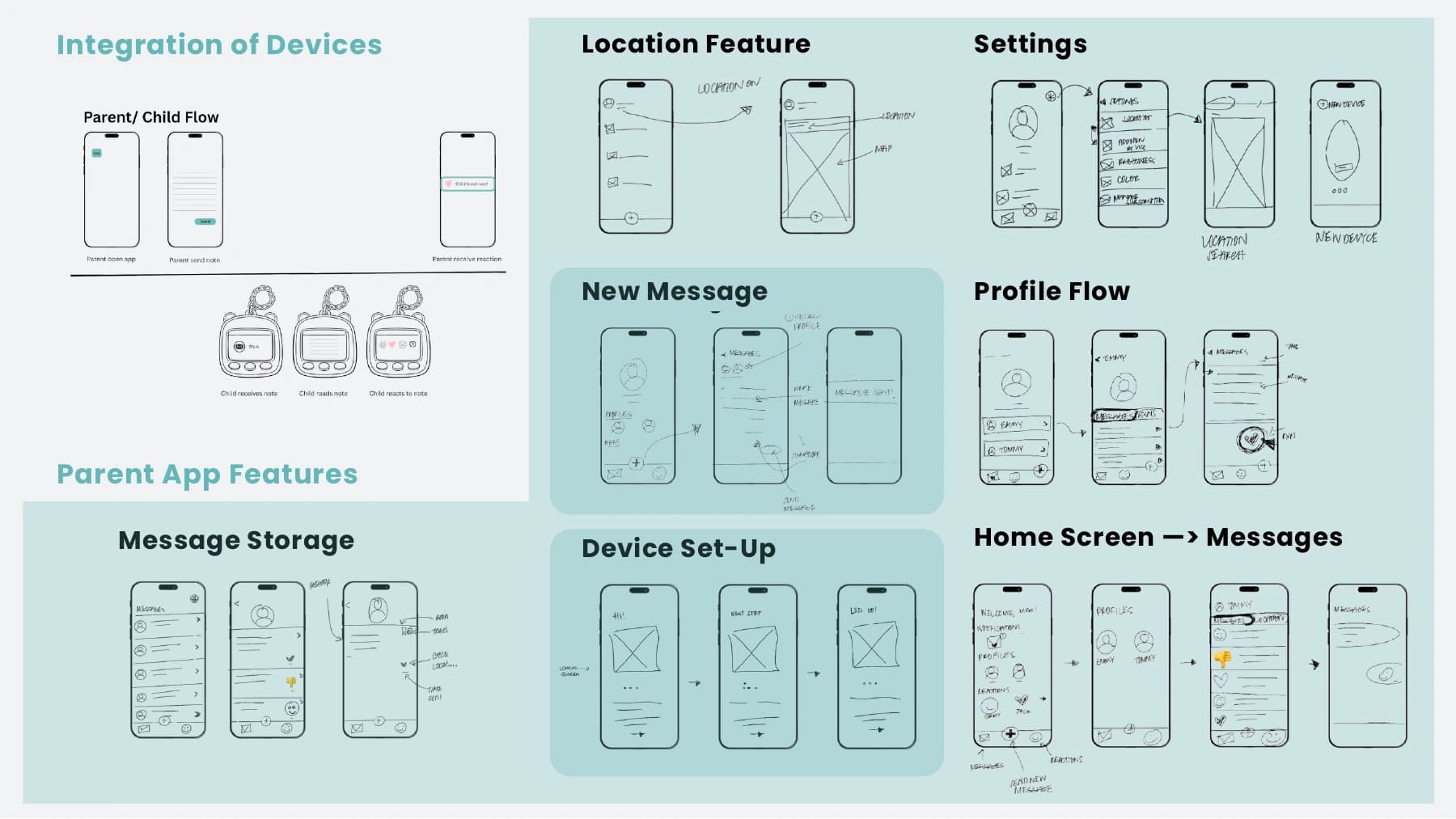
System mapping for device integration, location, settings, messages, profiles, and setup.
Kiko
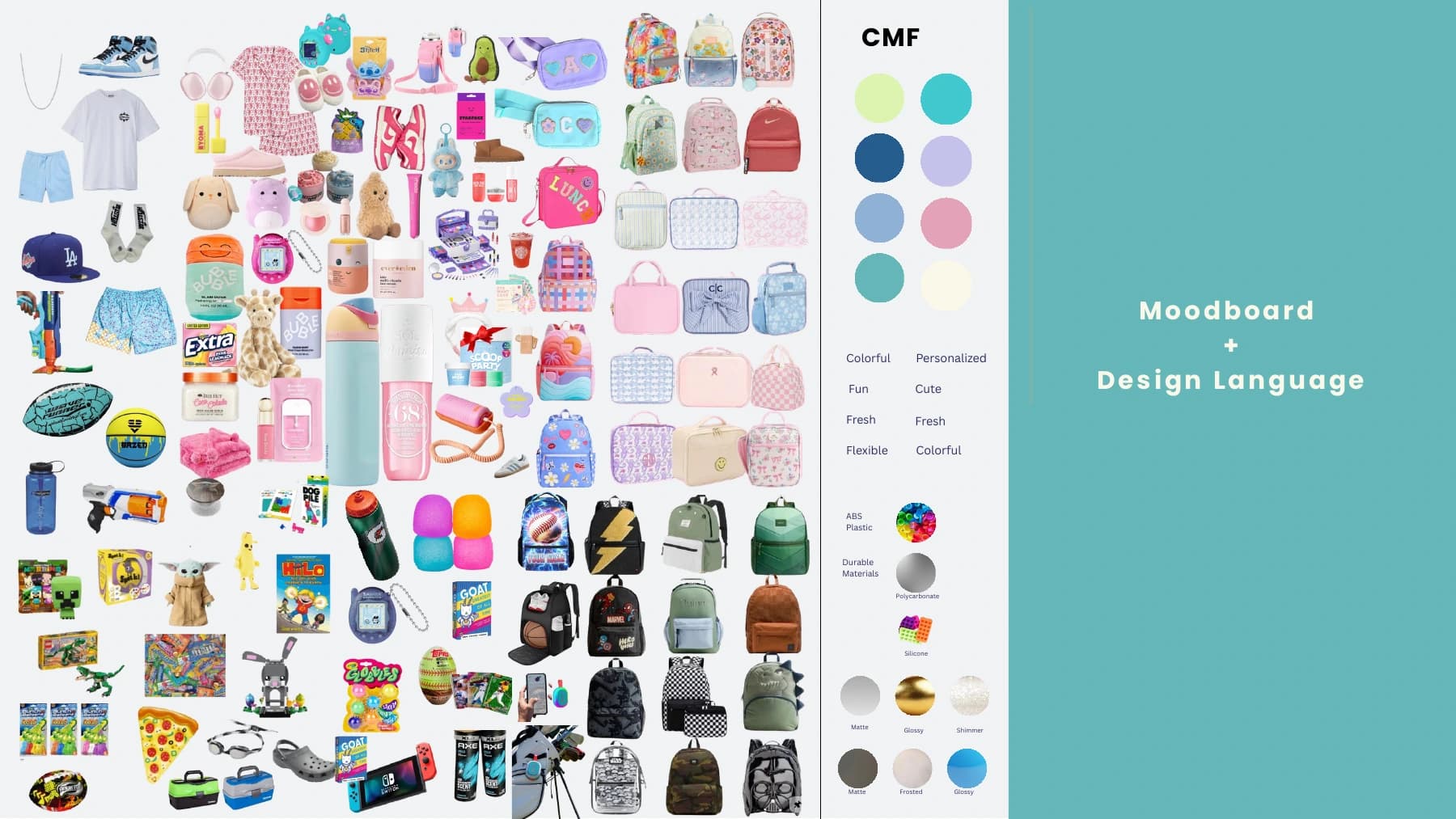
CMF direction balanced playful personalization with durable, flexible, and tactile materials.
Kiko
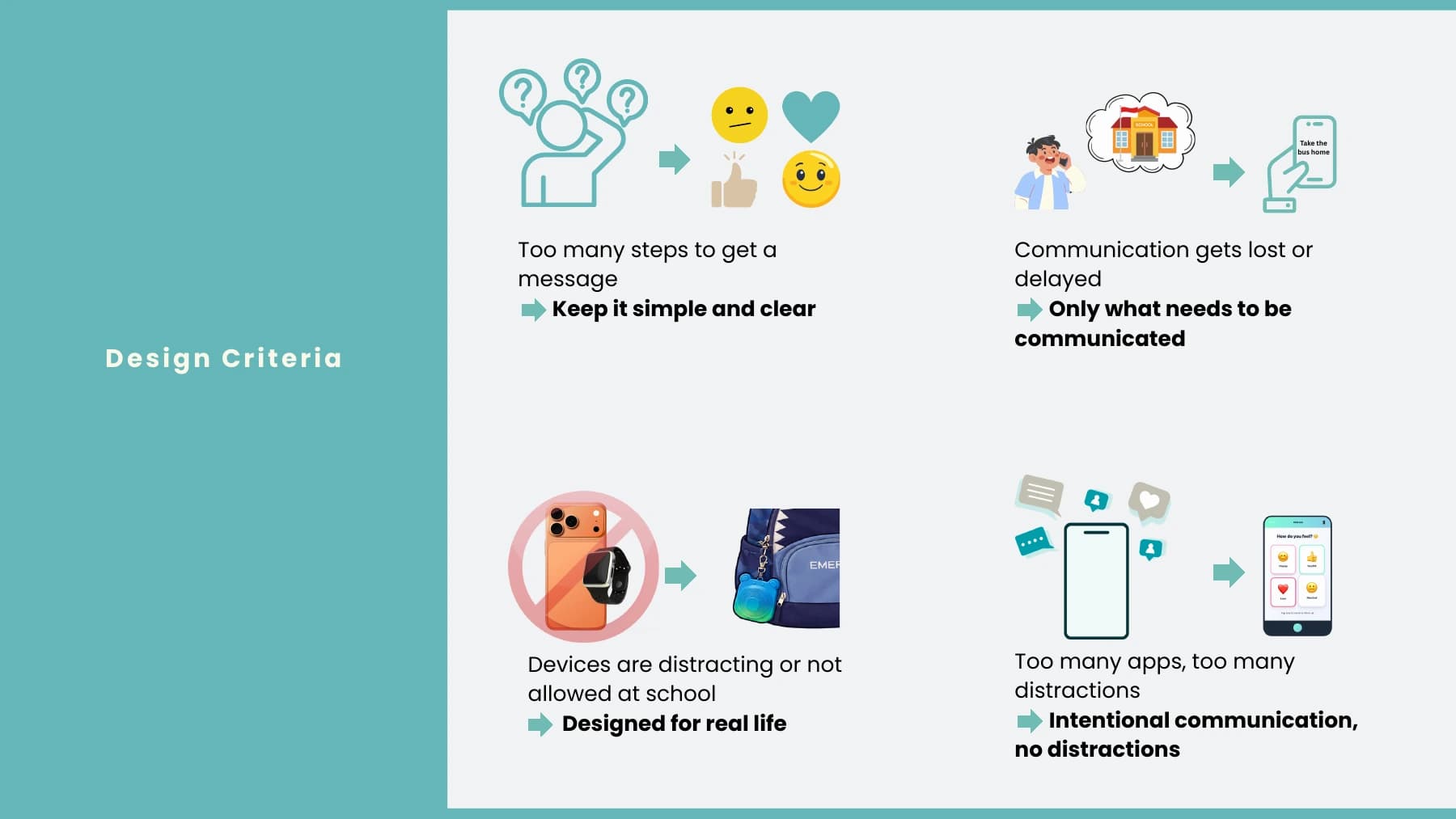
Design criteria prioritized simple messages, real-life use, and intentional communication without distractions.
Kiko
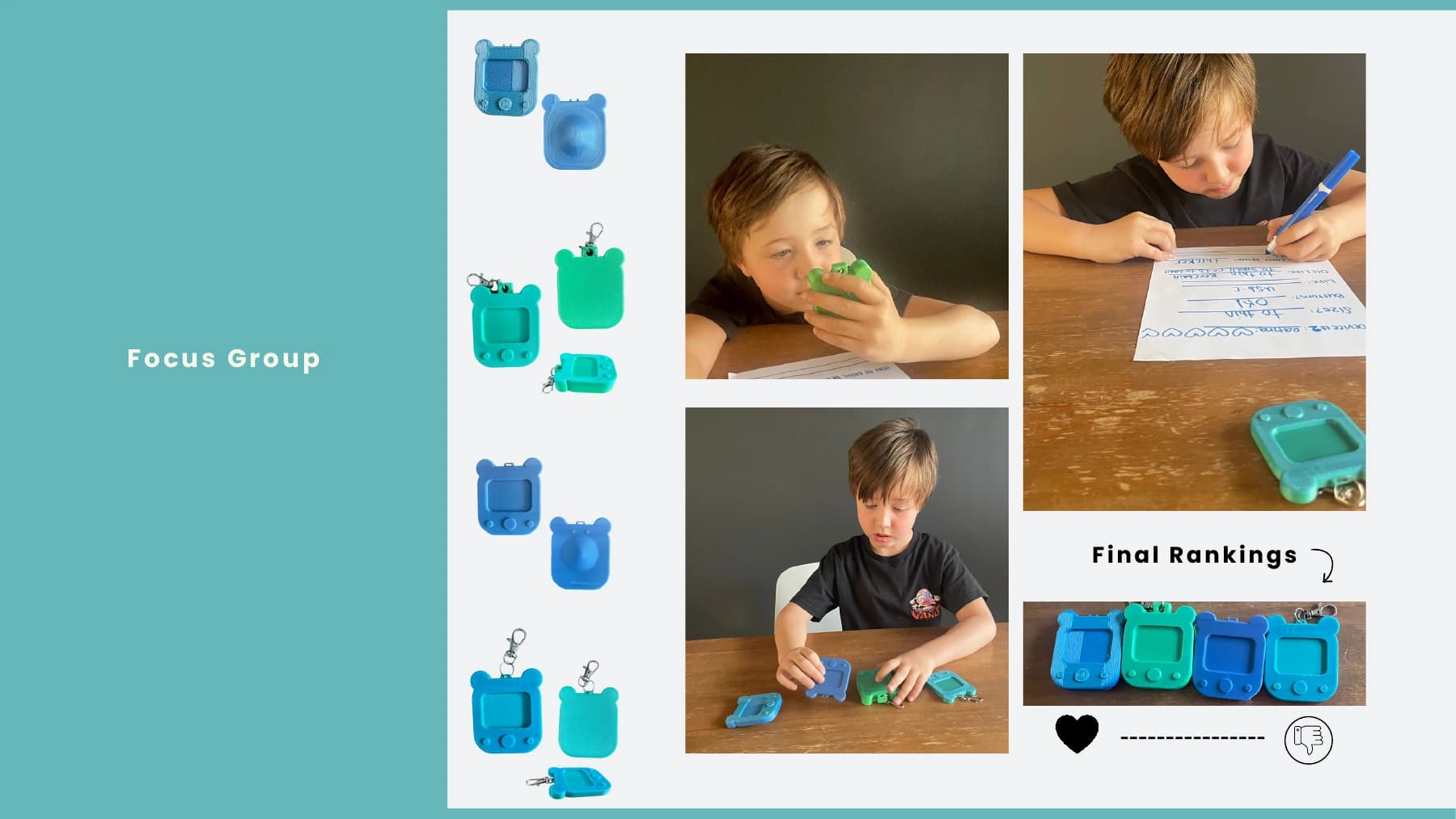
A focus group used physical prototypes and rankings to identify the strongest form direction.
Kiko
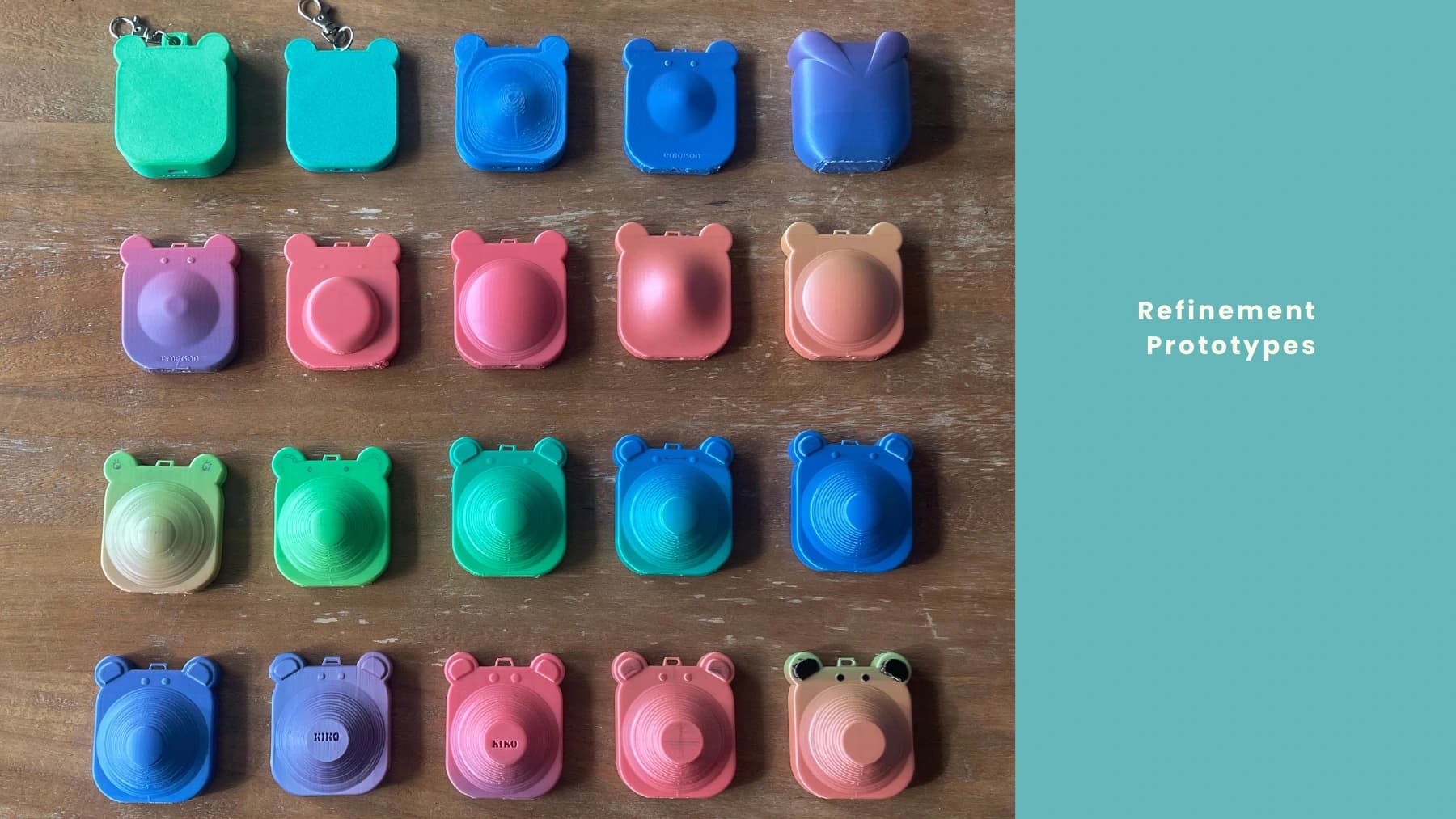
Prototype iterations explored grip, texture, thickness, character features, and keychain attachment.
Kiko
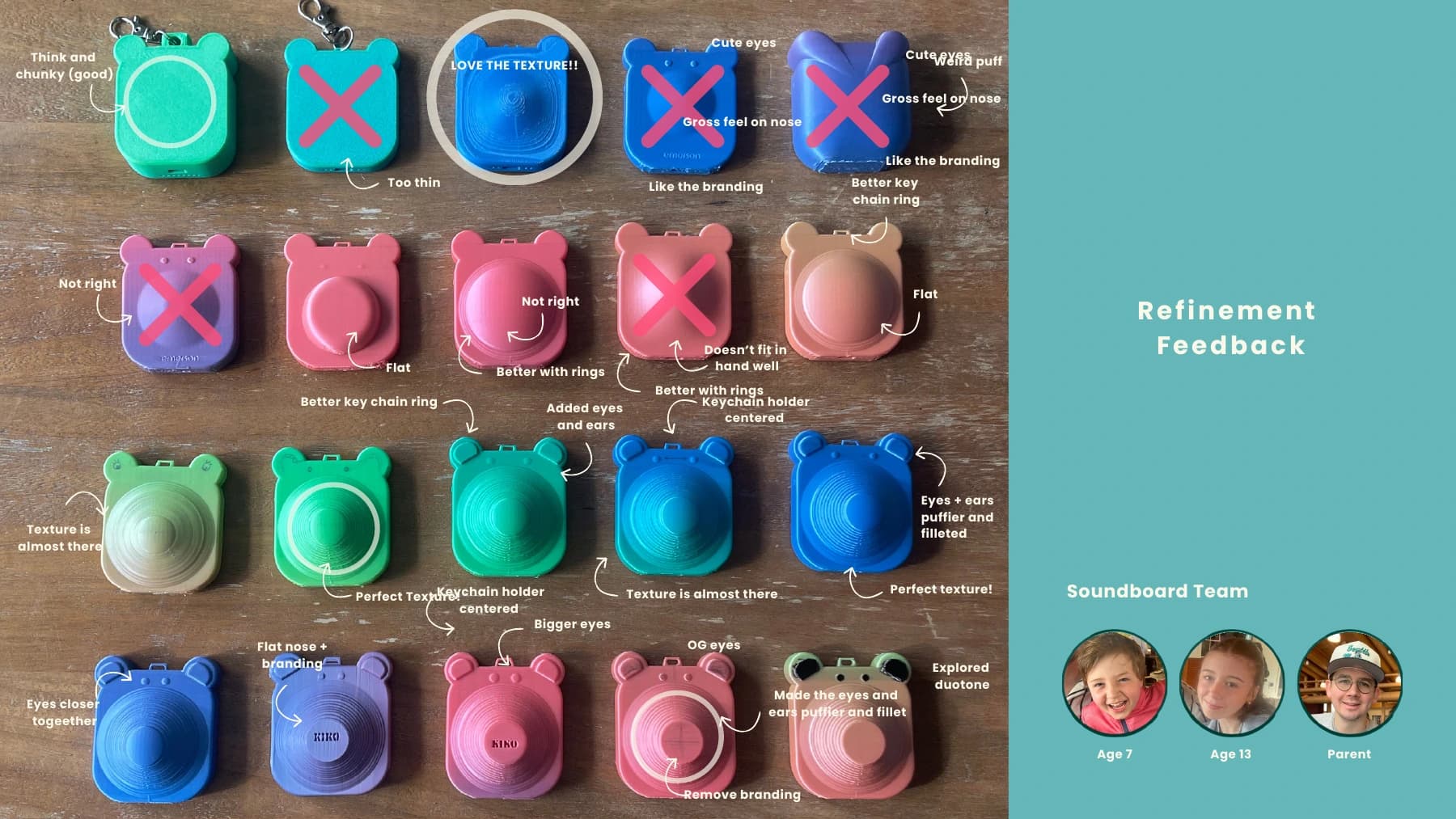
Feedback from children, a teen, and a parent shaped the final tactile and visual details.
Kiko
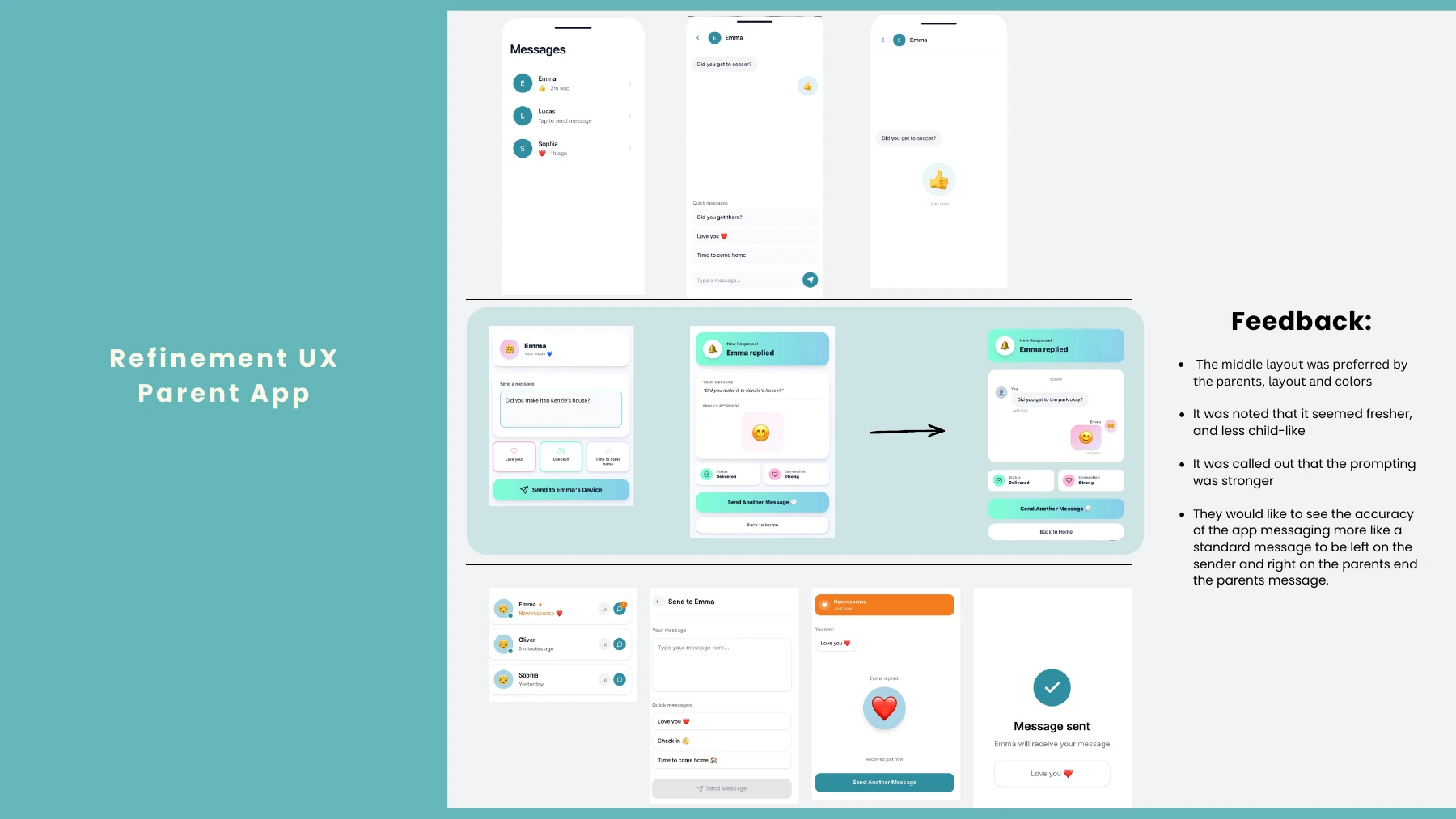
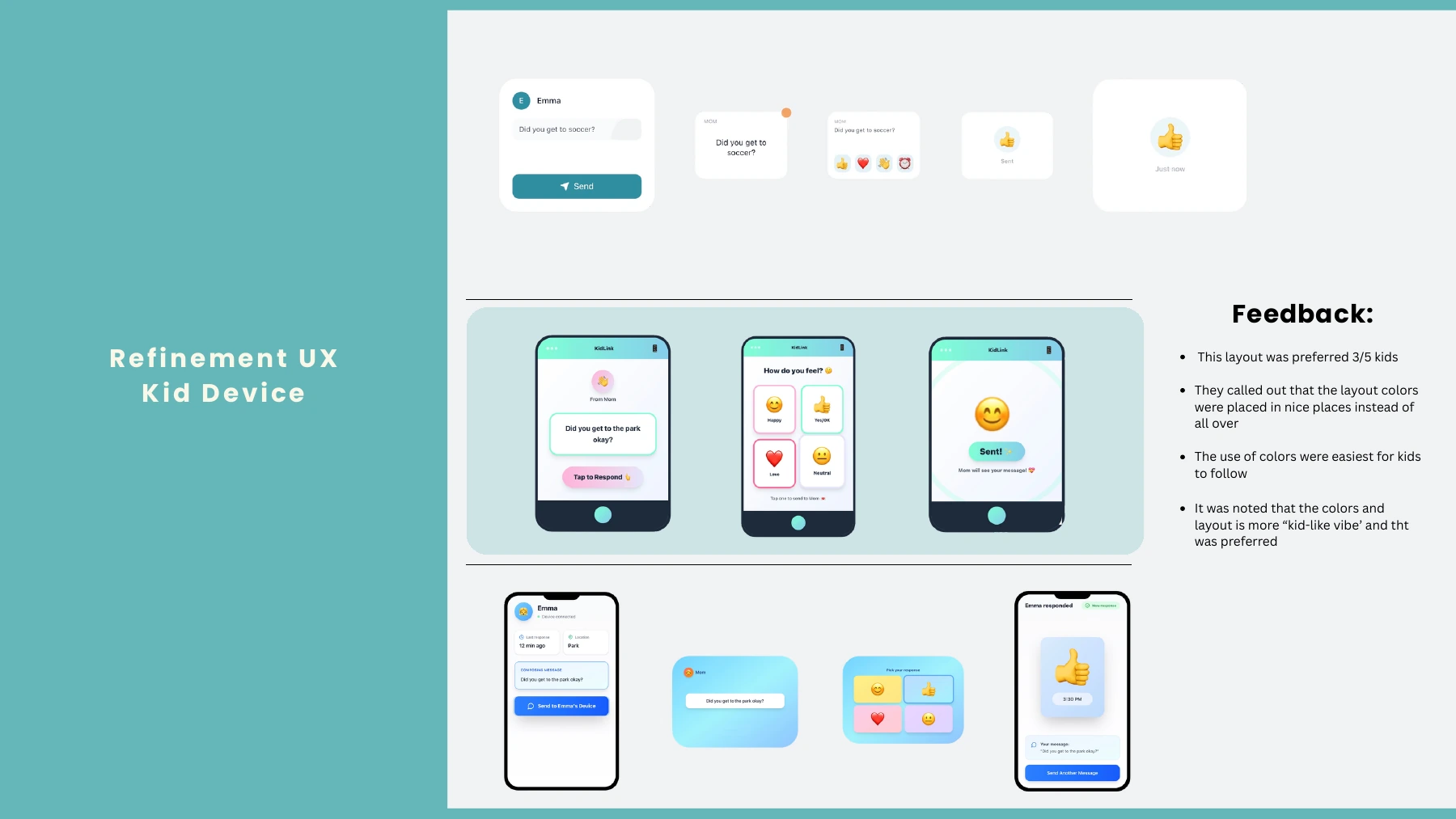
Parent-app testing favored a fresher layout, clearer prompting, and familiar message alignment.
Kiko
Child-device testing favored a clearer color system and a more distinctly kid-friendly layout.
Kiko
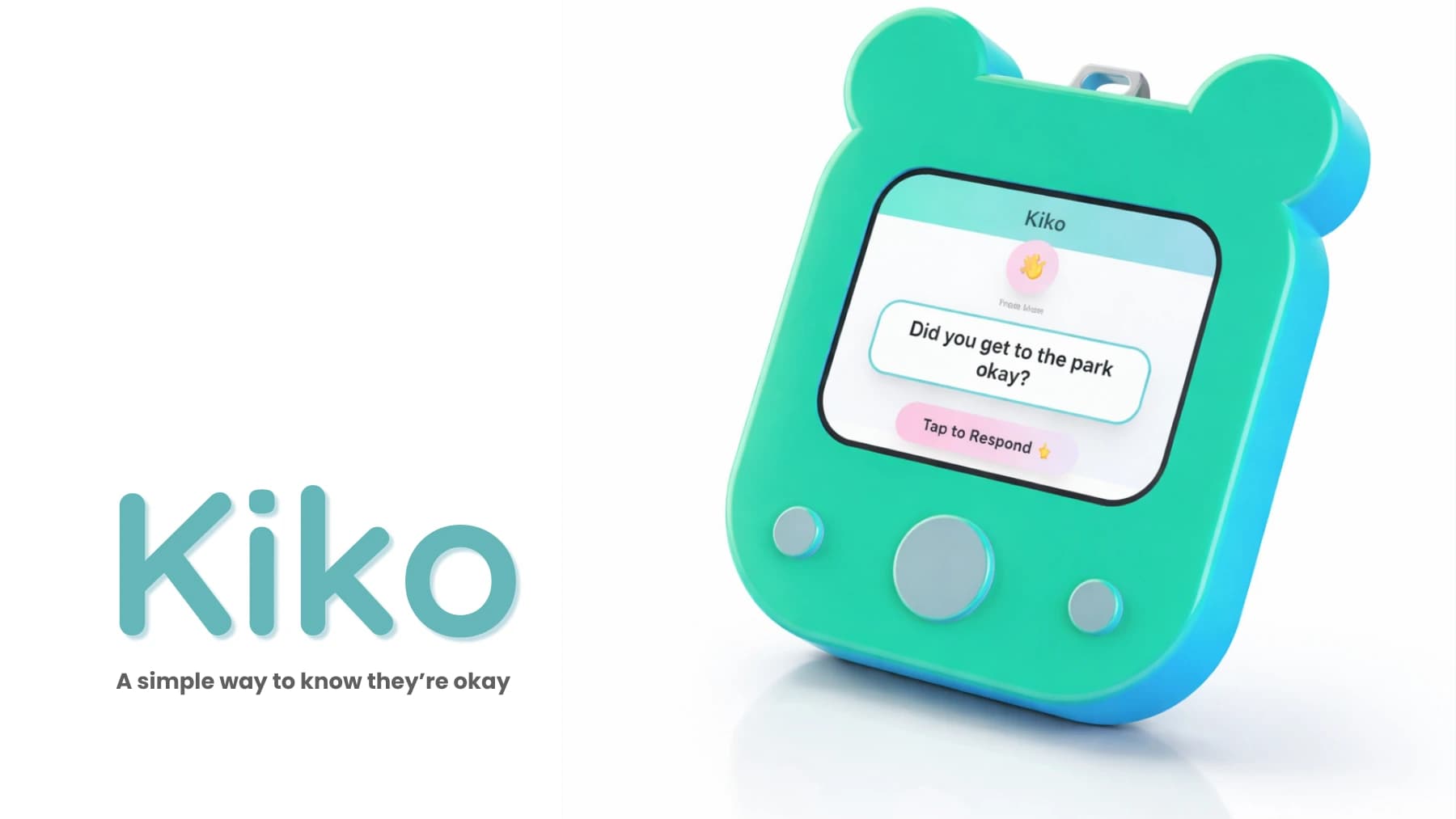
Final Kiko identity and resolved communication-device direction.
Kiko
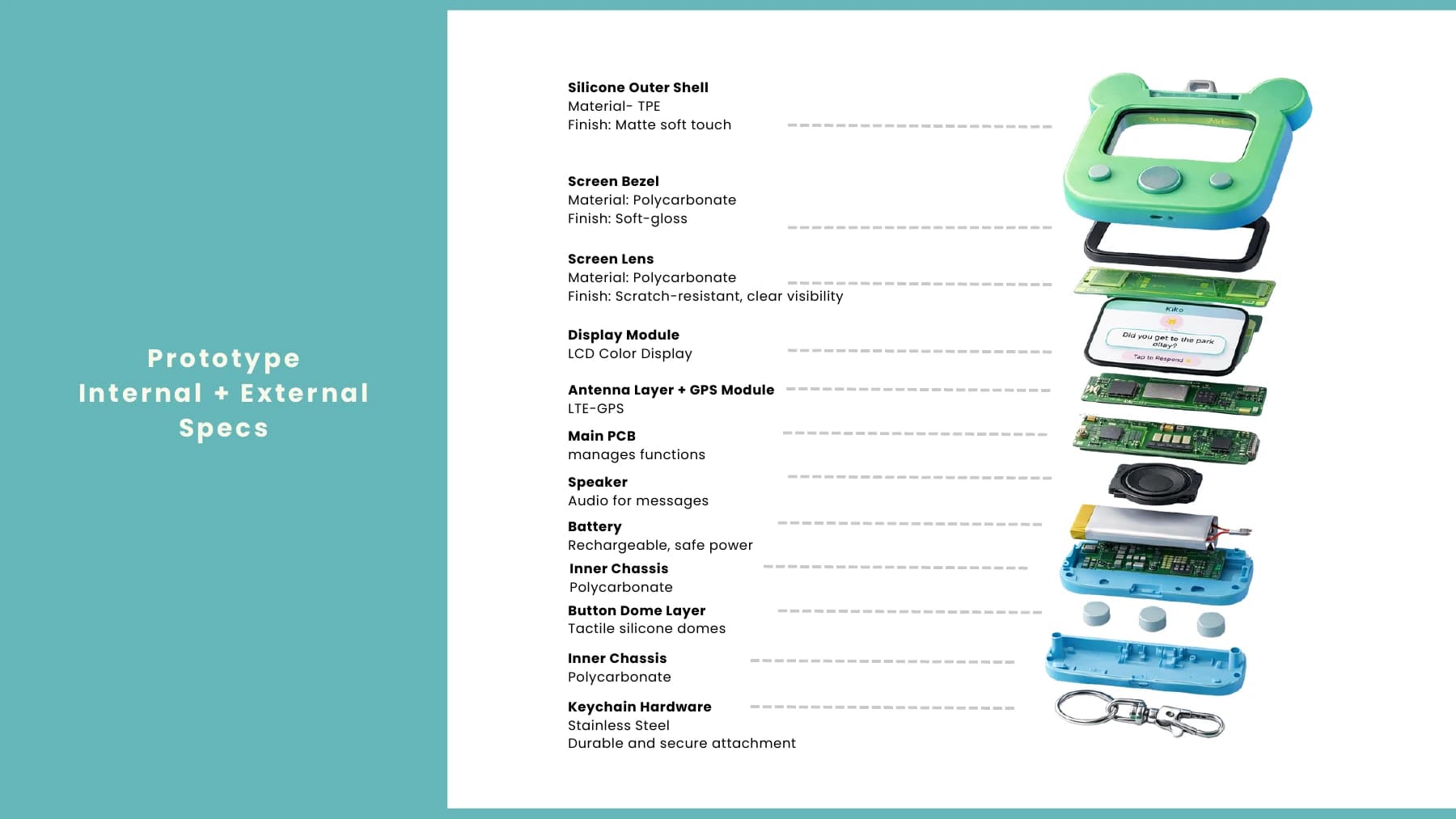
Internal and external specifications connect the enclosure, display, controls, electronics, power, and keychain hardware.
Kiko
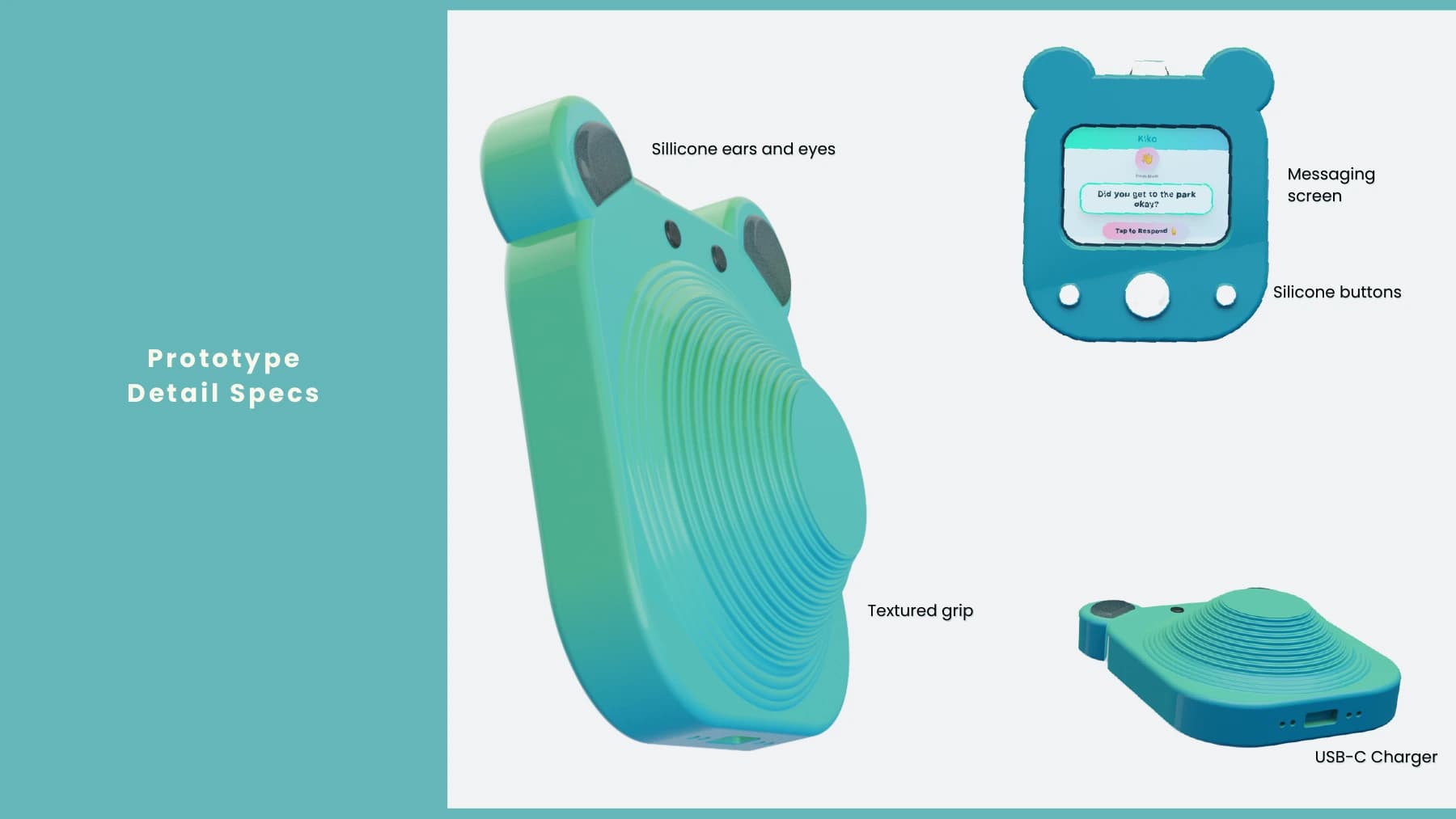
Exterior detail specification for the silicone character features, tactile grip, controls, display, and charging port.
Kiko
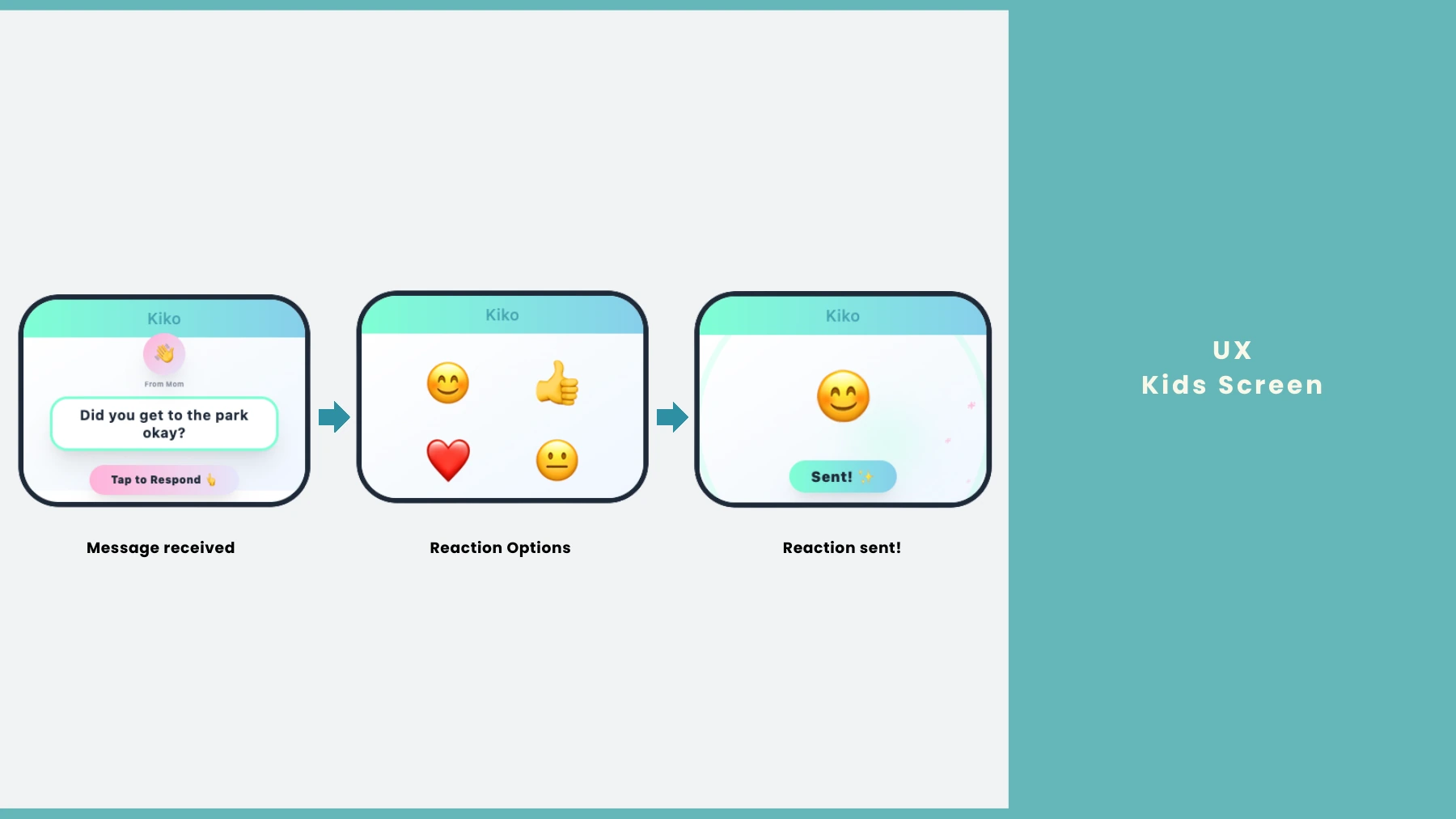
The child flow moves from one received message to a simple reaction choice and clear confirmation.
Kiko
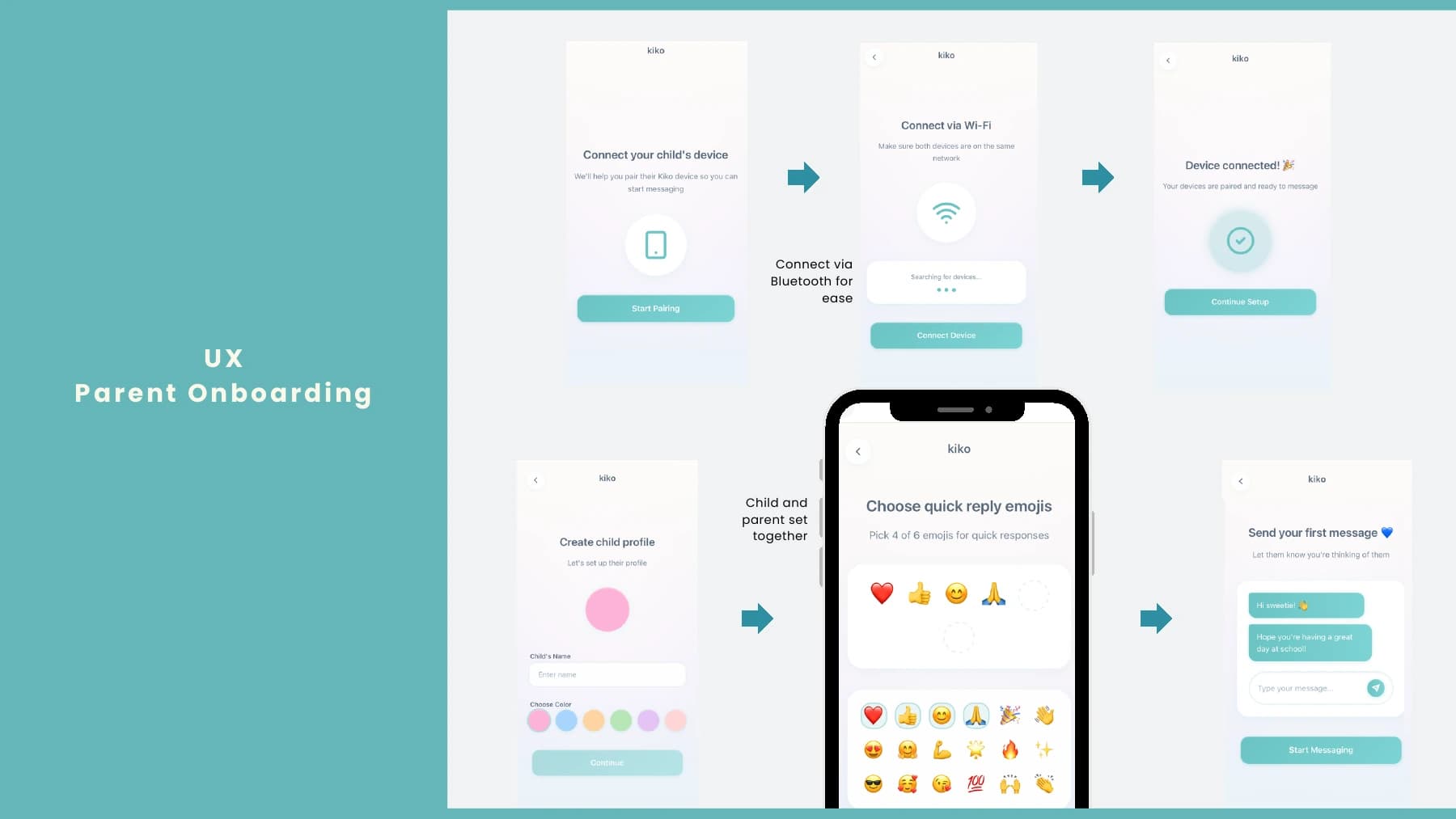
Parent onboarding pairs the device, creates the child profile, and selects response emojis together.
Kiko
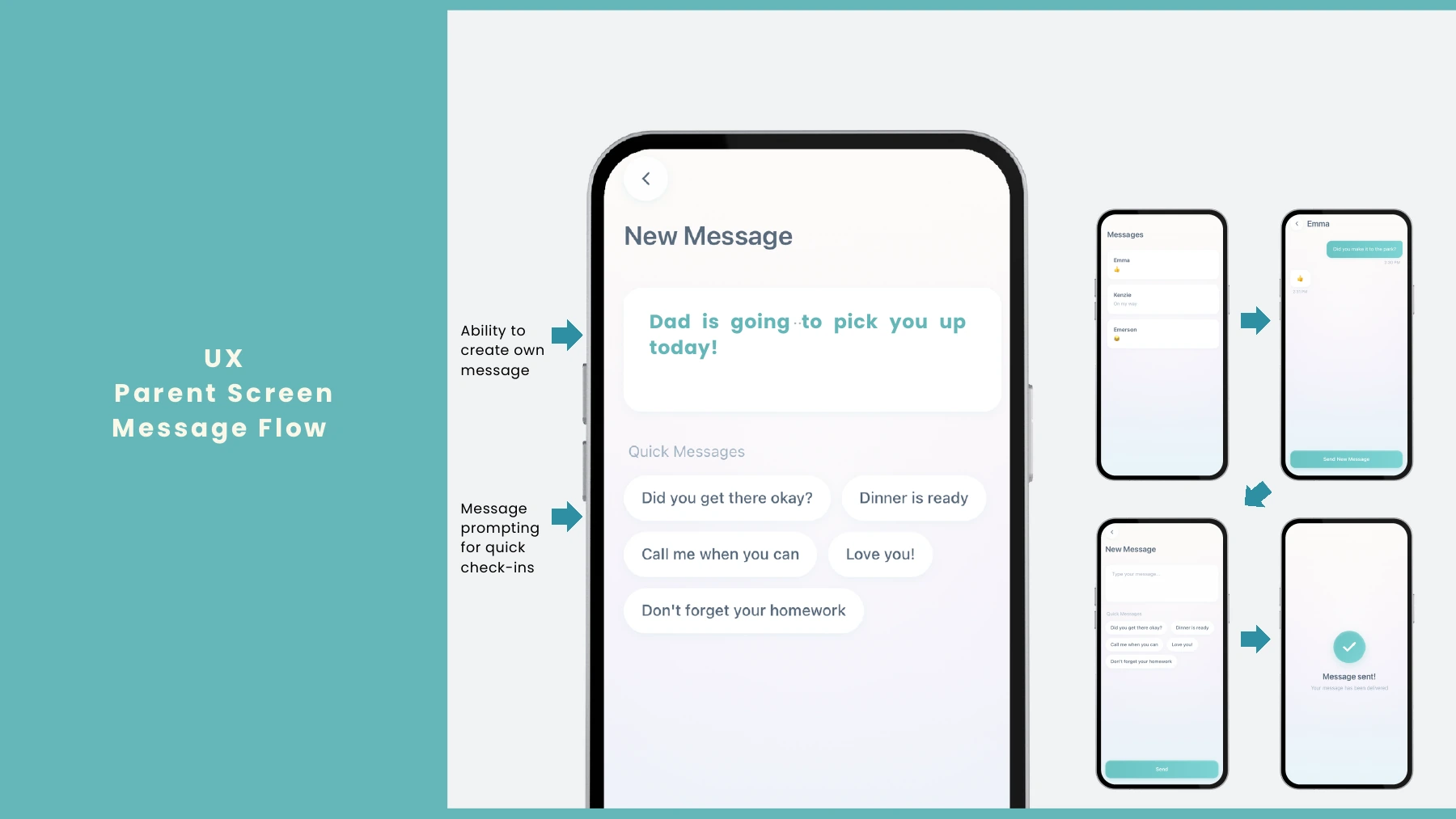
The parent message flow combines quick prompts with the option to create a custom check-in.
Kiko
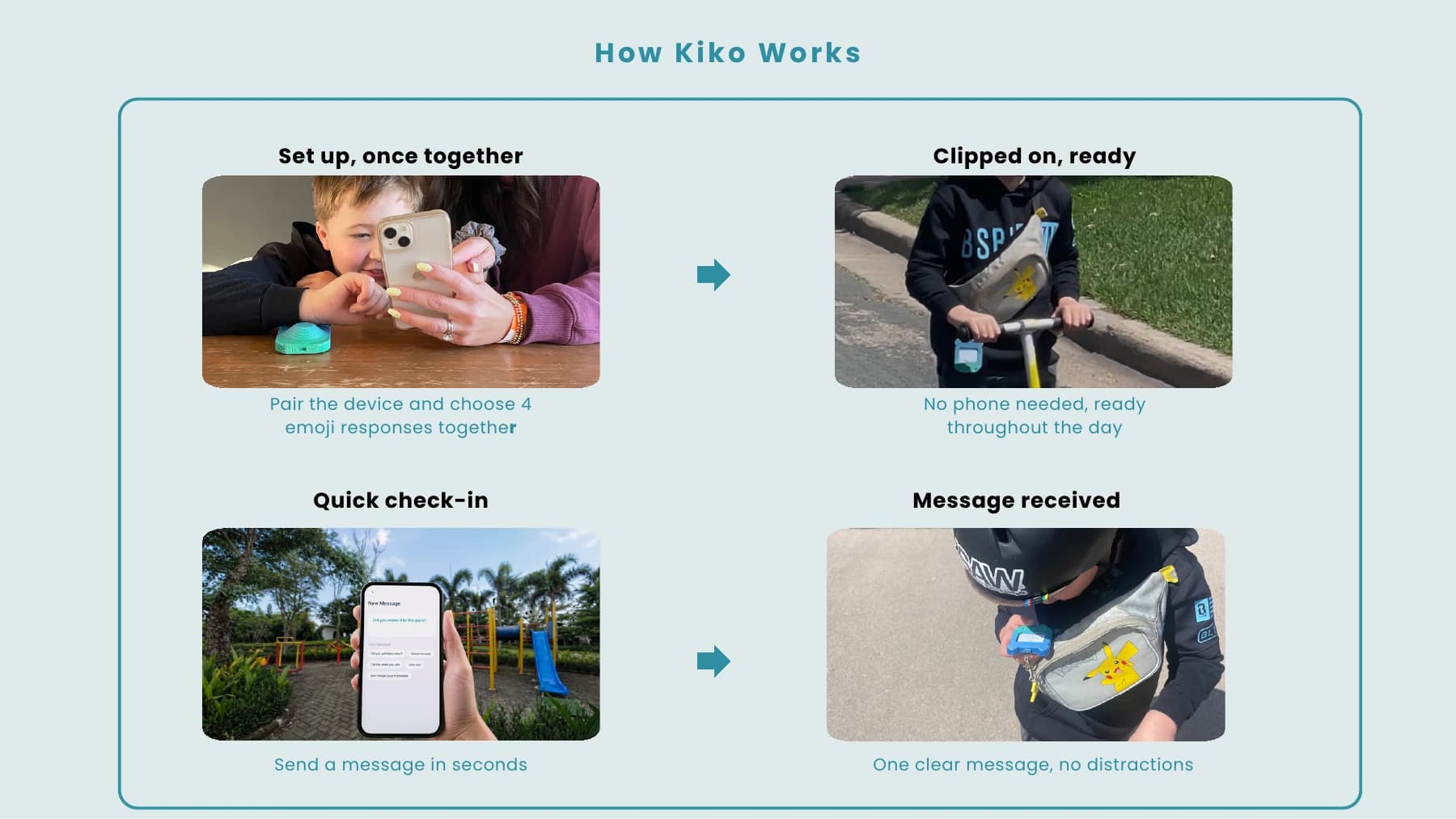
How Kiko works: pair once, clip it on, send a quick check-in, and receive one clear message.
Kiko
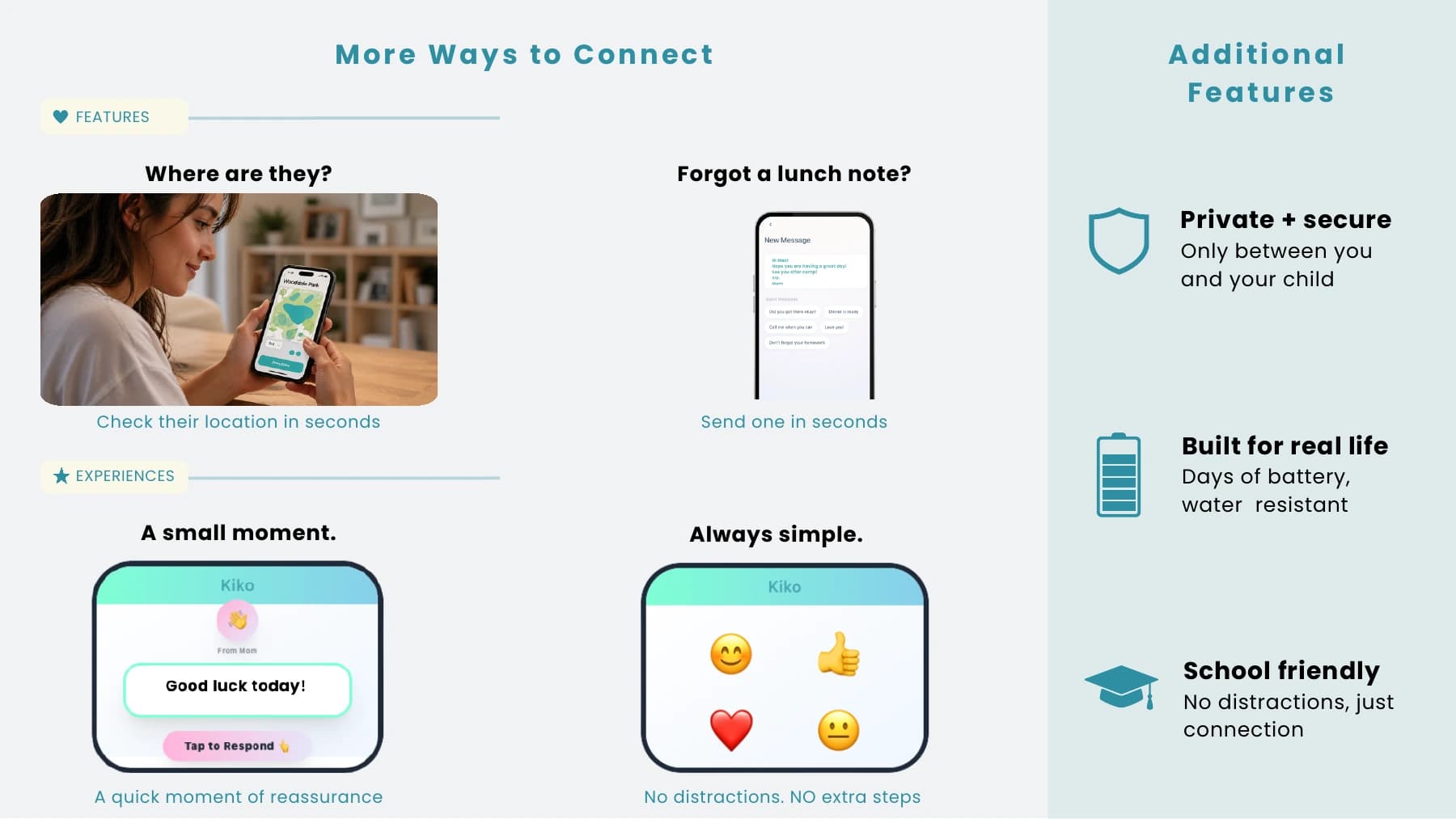
Additional features support location checks, lunch notes, privacy, long battery life, and school-friendly use.
Kiko
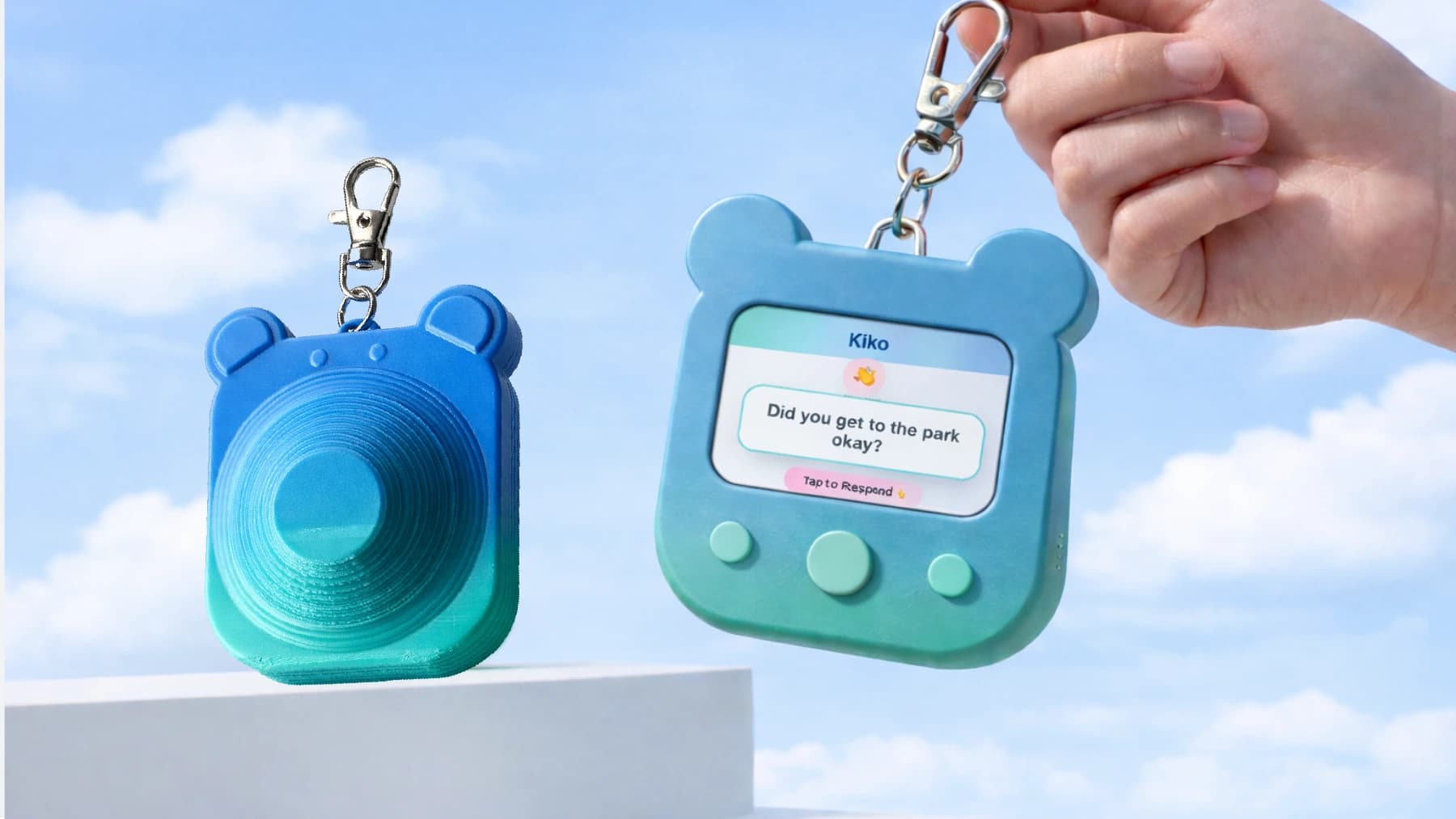
Final hero view showing the tactile back and message-focused front of the Kiko device.
Kiko
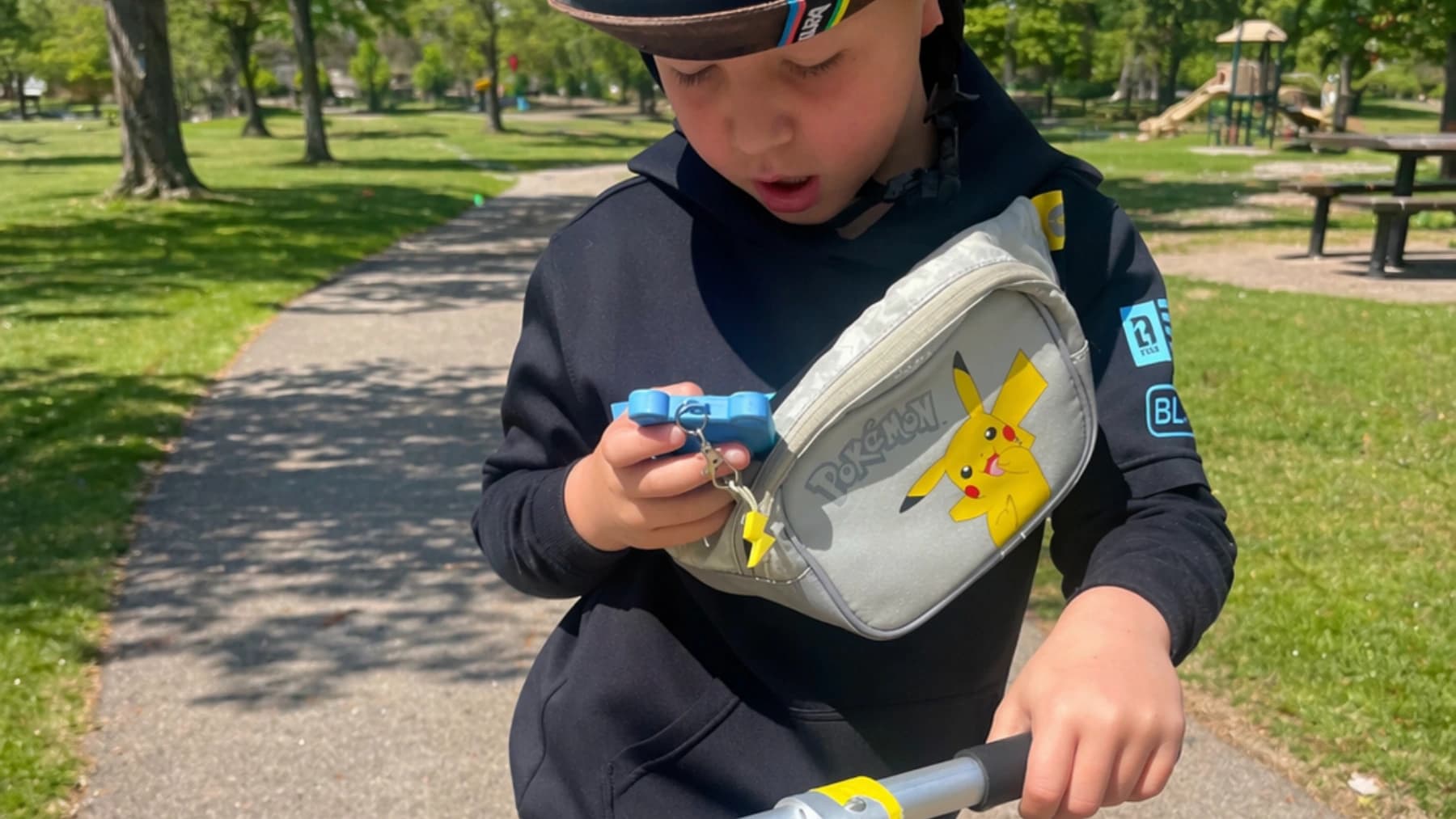
Kiko in context: clipped to a bag and available for a quick check-in during an everyday outing.
Kiko
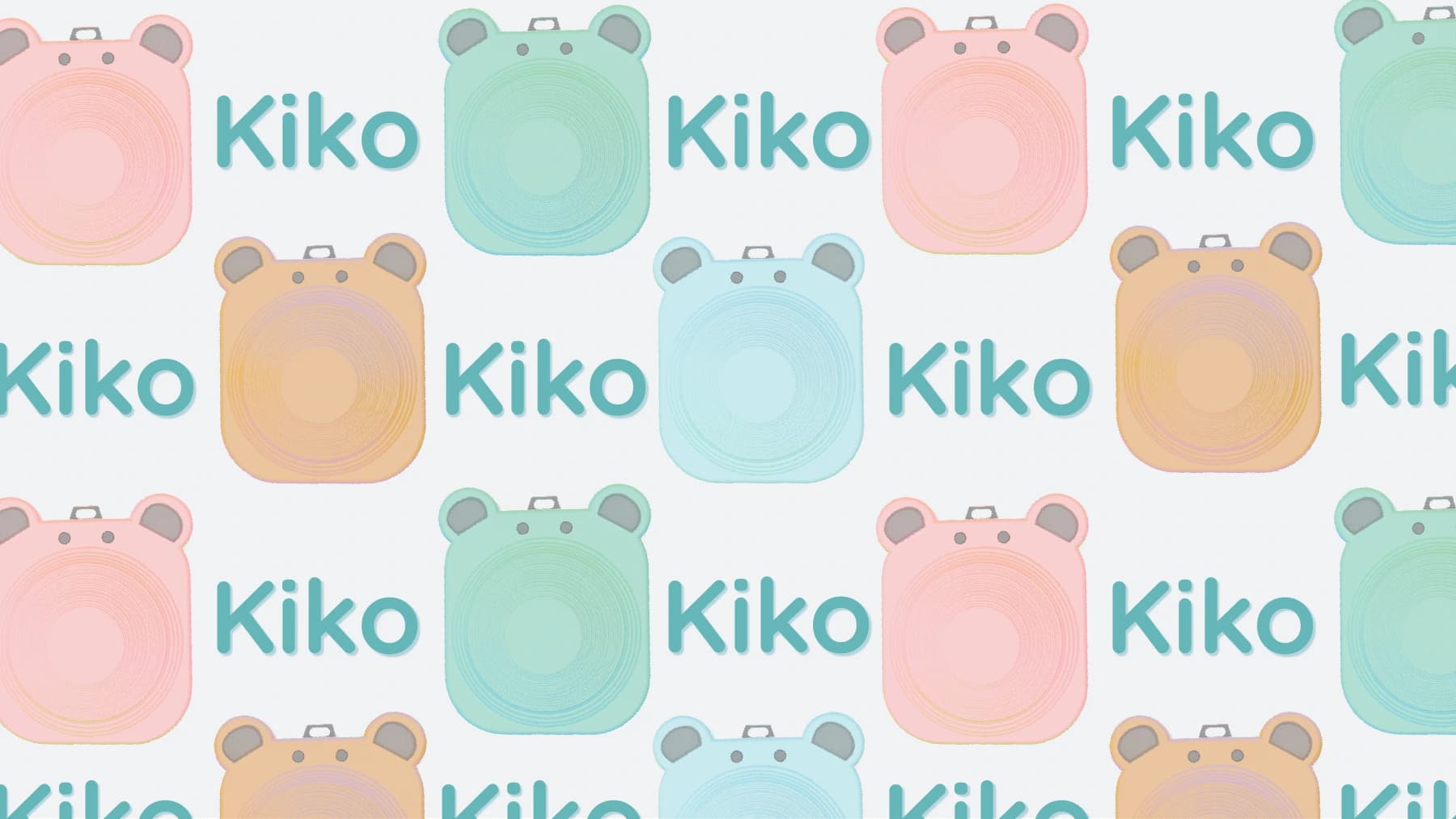
The closing brand system extends Kiko’s playful device forms into a flexible graphic pattern.